Products/Desktop productivity app / Email management tool/MailSignal

MailSignal

See All Your Inboxes at a Glance
Desktop productivity app / Email management toolemailtaskbarmulti-accountReviewed
MailSignal

Our Take

MailSignal is one of those apps that makes you wonder why it didn't exist sooner. You know that feeling when you've got Gmail, Outlook, work email, and maybe a shared inbox all going at once? You're constantly tab-jumping, losing focus every time you switch. Research shows context-switching kills about 23 minutes of focus per switch. MailSignal fixes that by putting every unread count right on your Windows taskbar—all your accounts, one glance, zero tab juggling.

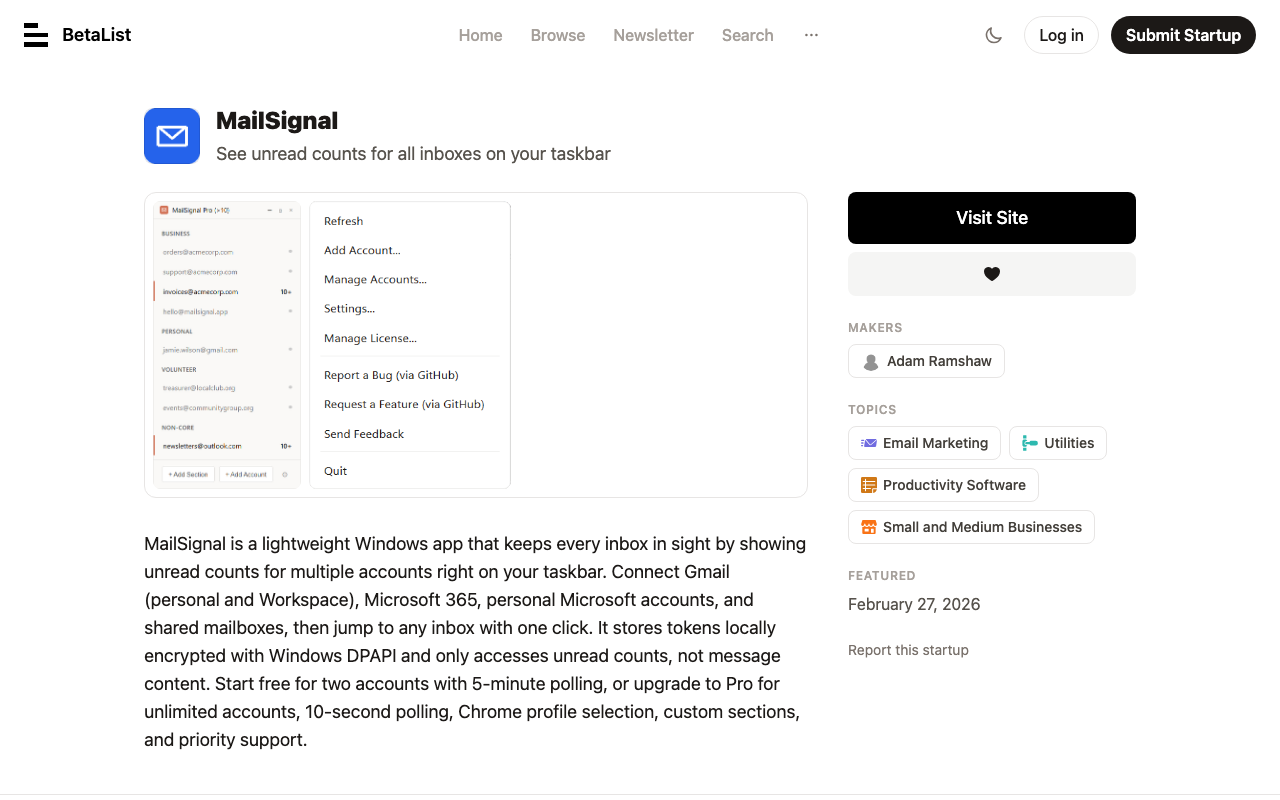
Connect Gmail personal and Workspace, Microsoft 365, personal Microsoft accounts, and shared mailboxes. Then just click to jump straight to any inbox. The privacy piece is clean: they only access unread counts via gmail.labels and Mail.ReadBasic scopes. They literally cannot see your emails, subjects, senders, nothing. Tokens stay local and encrypted with Windows DPAPI. Nothing touches their servers.

Free tier gets you 2 accounts with 5-minute polling. Pro is $25 one-time—no subscription, ever, free updates forever. That gets you unlimited accounts, 10-second polling, Chrome profile selection, custom sections, and priority support. Single license works on up to 3 machines. That's it. No fluff, no monthly fees, just a small tool that does exactly what it says.

Based in the software-as-a-tool world where things don't need to be bloated. If you're managing more than two email accounts and still tab-switching manually, you're leaving time on the table.

A Windows desktop application that displays unread email counts from multiple email accounts (Gmail, Microsoft 365, shared mailboxes) directly on the Windows taskbar, eliminating the need to switch between browser tabs.

Key Features
Multi-account support (Gmail personal & Workspace, Microsoft 365, Shared Mailboxes in one view), Taskbar badge with unread count always visible on Windows taskbar, One-click launch to jump straight to any account inbox, Secure by Design: Authentication tokens encrypted with Windows DPAPI, Privacy-First: Only reads unread counts, never email content, subjects, or sender information, OAuth sign-in: Passwords never accessed, Default browser launch (Free tier), Chrome profile selection (Pro), Custom sections & reordering (Pro)
Problem It Solves
Tab overload from switching between multiple email accounts (Gmail, Outlook, work email), missed important emails sitting in secondary inboxes, and context switching costs (23 minutes of focus lost per tab switch).
Target Customer
Professionals and knowledge workers who manage multiple email accounts (personal Gmail, Google Workspace, Microsoft 365, work email) and want unified inbox visibility without browser tab juggling.
Use Cases
Monitoring multiple email accounts without browser tab switching, Keeping track of unread counts across personal and work email, Quick access to any inbox from Windows taskbar
Pricing Details
Free tier: $0 forever, 2 accounts, 5-minute polling, default browser launch. Pro: $25 one-time purchase, unlimited accounts, 10-second polling, Chrome profile selection, custom sections & reordering, priority support. Free updates forever with 14-day money-back guarantee.
Free Tier
Price: $0 · Accounts: 2 · Polling Interval: 5 minutes · Features: 2 accounts, 5-minute polling, Default browser launch
Differentiator
Privacy-first approach (only accesses unread counts via gmail.labels and Mail.ReadBasic scopes, never email content); Windows DPAPI encryption for tokens; no subscription model (one-time purchase); no admin rights needed for installation.
Why Now
Increasing number of professionals using multiple email platforms (Gmail, Outlook, Microsoft 365) leading to tab overload and missed important messages.

Key Facts

Category
Desktop productivity app / Email management tool
Location
, Australia
Pricing
$25 USD one-time (Pro)
Discovered via
betalist

The people behind MailSignal

A

Adam Ramshaw

profile

Solo Founder / Developer

Solo founder of MailSignal — Windows taskbar app showing unread Gmail + Microsoft 365 counts. Free for 2 accounts, Pro $25 one-time. Company: Genroe (Australia) Pty Ltd. GitHub: github.com/aramshaw. Blog active, latest post March 2026. No LinkedIn or Twitter found.

Links

Browse by category

Want products like this in your inbox every morning?

Five products. Every morning. Written by someone who actually cares whether they're good or not. Free forever, unsubscribe whenever.

MailSignal — SLAYREPORT