Our Take
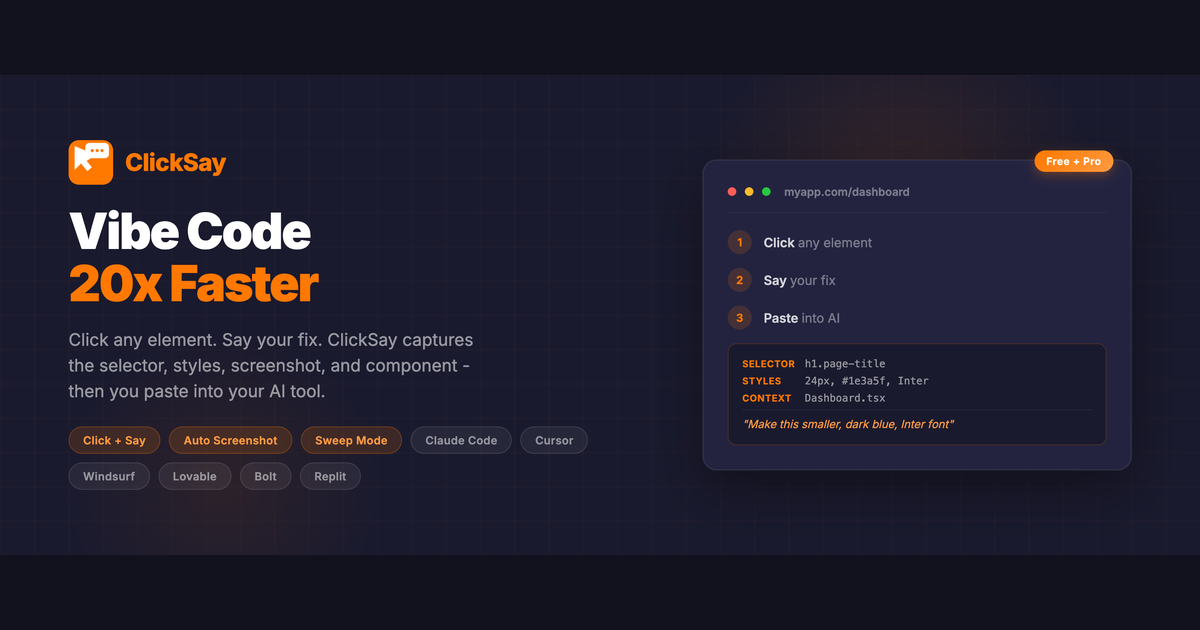
Nayan Surya and Fred L. built ClickSay because they got tired of typing vague descriptions to their AI coding assistant. You know the deal—you're in Claude Code or Cursor trying to fix a button, and you type something like "make this look better" and the AI has no idea what you're talking about. ClickSay fixes that. You press Cmd+Shift+K, click any element on the page, say "make this bigger" or "fix the padding," and it captures the CSS selector, computed styles, HTML, screenshot, and component name—then pastes a structured prompt straight into your AI. No more copying selectors manually, no more sending screenshots. Just click, talk, paste.
The vibe coder's secret weapon. It's built for developers working with Claude Code, Cursor, Windsurf, Lovable, Replit, and Bolt.new—and it detects React, Next.js, Vue, Svelte, and Angular components automatically. Sweep Mode lets you shift+click multiple elements and give one piece of feedback for all of them. There's even an accessibility audit that flags WCAG contrast, alt text, ARIA, and touch target issues. The Direct Send option bypasses the clipboard entirely and pipes prompts straight to Claude Code in your terminal. For developers who spend half their day communicating with AI, this is the tool that makes those conversations actually productive.
Key Facts
The people behind ClickSay
Links
Similar products worth knowing
Want products like this in your inbox every morning?
Five products. Every morning. Written by someone who actually cares whether they're good or not. Free forever, unsubscribe whenever.